Create and Edit Images with ChatGPT Image Generator

AI Image Generator

Reference images (optional)

0/32000

Explore More AI Tools

Explore ChatGPT Image Generator and AI Video Tools

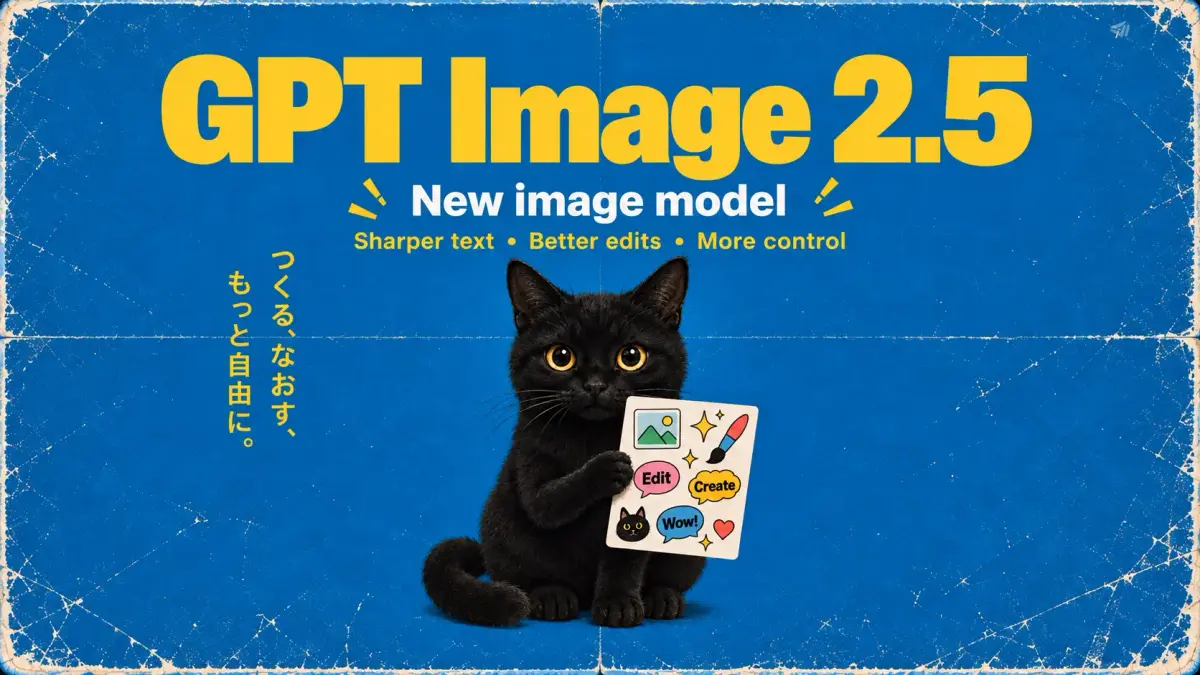
Choose GPT Image 2.5 in the ChatGPT Image Generator, or explore Seedance for AI video creation in the same workspace.

Core Features

ChatGPT Image Generator and AI Video Tools in One Workspace

Move from a written idea to a finished visual with the ChatGPT Image Generator, then explore connected tools for image editing and AI video creation.

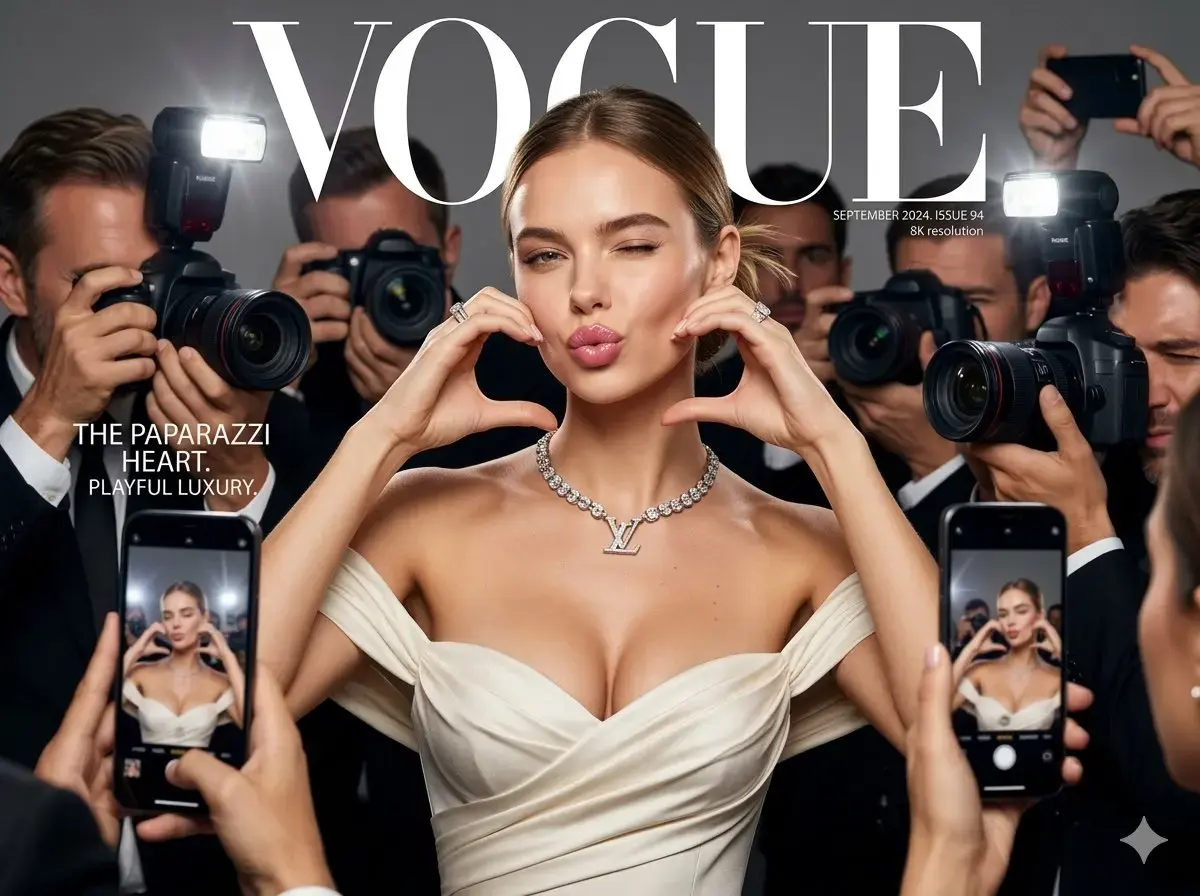
AI-generated Vogue-style magazine cover of a model surrounded by paparazzi photographers, created entirely from a text prompt on ChatImages

Text to Image

Describe your idea in the ChatGPT Image Generator and choose GPT Image 2.5 or GPT Image 2 to create images that fit your style and quality needs.

Vogue-style cover: a model in an ivory gown and diamonds makes a heart with her hands, surrounded by paparazzi. Bold VOGUE masthead, dramatic flashes, crisp fashion photography.
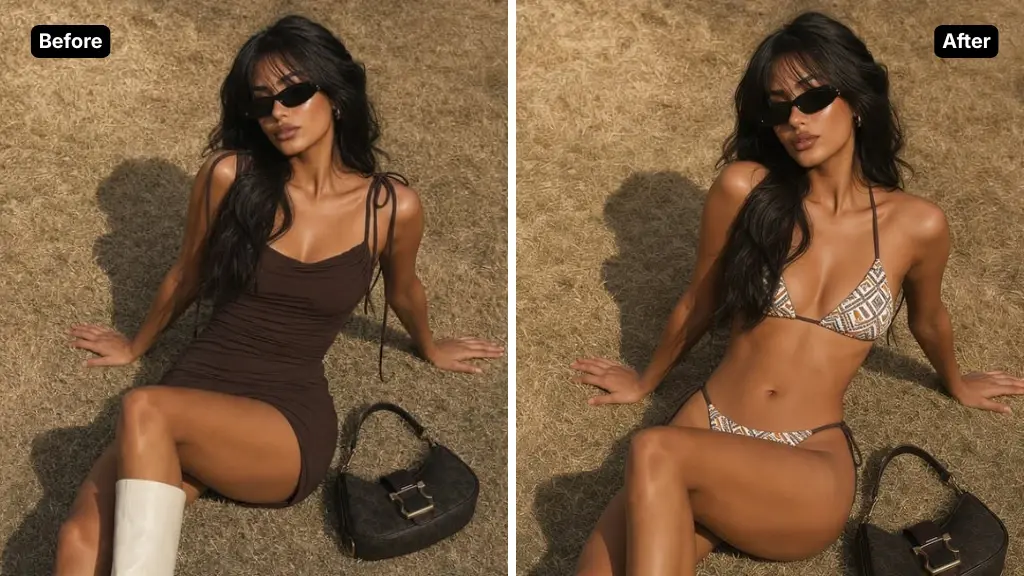
Before-and-after comparison of the same model styled in a different outfit using AI image editing on ChatImages

Image to Image

Upload reference images to the ChatGPT Image Generator to transform scenes, preserve characters, replace elements, or refine results without starting over.

Keep this model, her pose, and the grass background exactly the same, then change her outfit from the brown dress to a patterned bikini set. Match the lighting and shadows, photorealistic, ready for an e-commerce product listing.
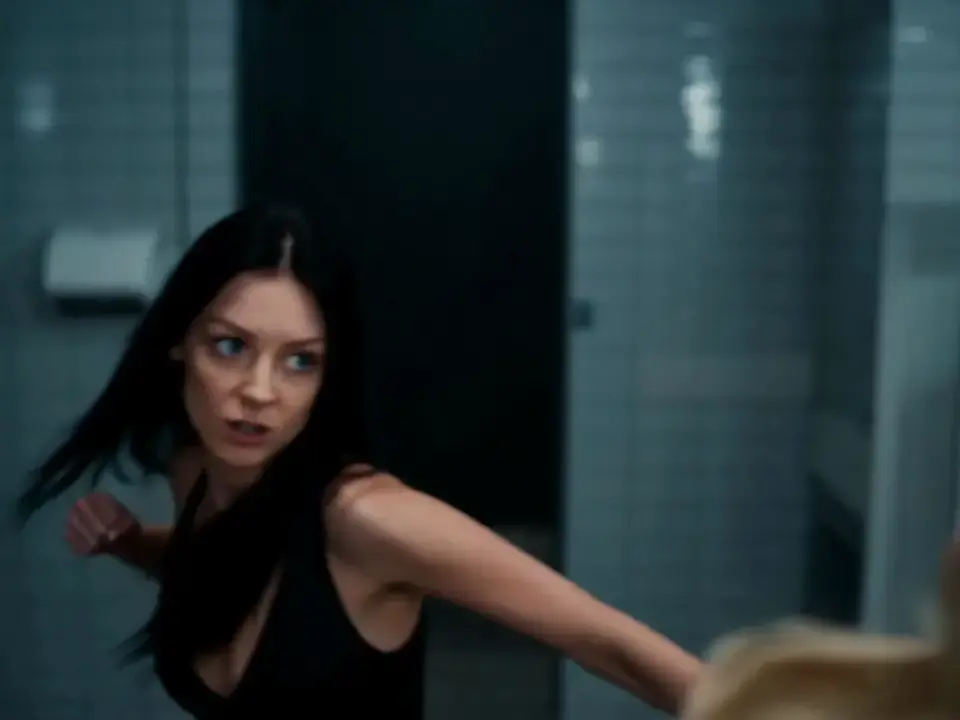
Cinematic AI-generated video of a dynamic fight scene between two women in a restroom, generated with AI video generation on ChatImages

Video Generation

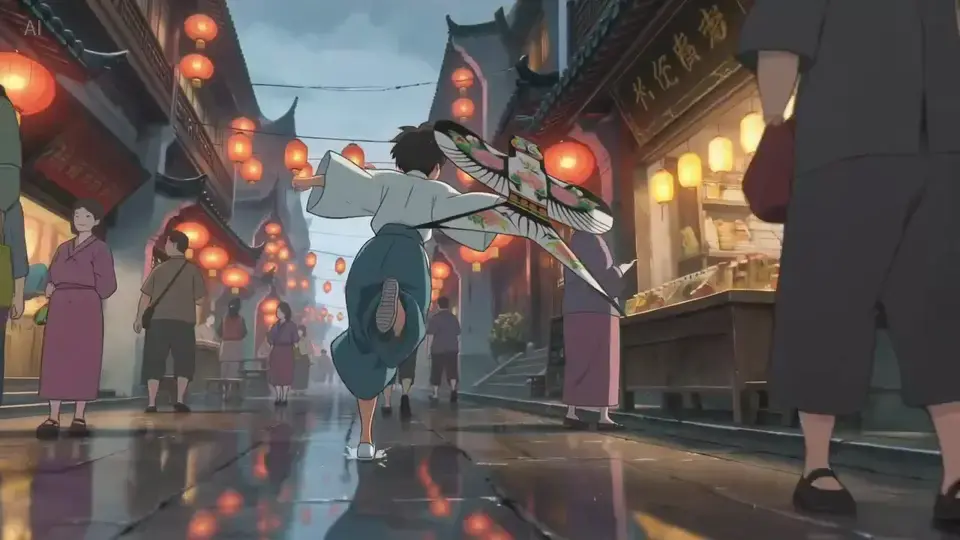
Create dynamic videos from text or visual references with Seedance 2.5 or Veo 3, AI models built for motion, camera control, and scene consistency.

A cinematic action fight scene in a public restroom between two women — one in a silver slip dress, the other in black leggings — trading throws and strikes near the sinks and stalls, dynamic motion blur, wet reflective tile floor, dramatic fluorescent lighting, fast cinematic camera movement.

Application Scenarios

Explore Image Creation with GPT Image and Nano Banana

From fashion catalogs and event posters to interface mockups, image composition, and photo restoration, explore creative uses for the ChatGPT Image Generator and Nano Banana.

Fashion catalog layout generated by Nano Banana 2 showing a coordinated dress, silk scarf, tote bag, pouch, and pattern banner

Fashion Collection Catalog Design

Turn a single pattern idea into a polished fashion catalog layout. Nano Banana 2 can present coordinated apparel, accessories, color variants, and branding details in one cohesive lookbook-style composition.

UEFA Champions League match poster generated by GPT Image 2 featuring two players, club crests, match date, facts panel, and stadium background

Sports Match Poster Design

Build sports posters around player visuals, team colors, and match details. In the ChatGPT Image Generator, choose GPT Image 2 and describe the lighting and layout. Review names, dates, and branding before publishing your event artwork.

Detailed physical world map generated by GPT Image 2 showing terrain, oceans, and geographic labels

Map & Infographic Generation

Describe a region, a data story, or a visual concept in your ChatGPT Image Generator prompt. Explore terrain, labels, and information layouts, then check geographic and factual details. Use the ChatGPT Image Generator to revise the composition after reviewing the result.

YouTube-style dark mode homepage UI mockup generated by GPT Image 2 showing video thumbnails and navigation

Product UI & App Design

Turn a product idea into a visual interface mockup with the ChatGPT Image Generator. Specify navigation, content sections, and dark-mode styling for an app or dashboard. Refine your ChatGPT Image Generator prompt to compare layout ideas before implementation.

Plain product photo transformed into professional studio-style photography with polished lighting and background

Product Photography

Turn plain product shots into polished commercial photography with Nano Banana Pro. The banana AI image generator adds studio lighting, backgrounds, and styling so every product looks ready for your storefront.

Retro comic strip with consistent characters across multiple panels and dialogue bubbles, generated by AI

Comic Strip Generator

Turn a story idea into a sequence of comic panels with Nano Banana Pro. The banana AI image generator keeps characters, art style, and settings consistent across every panel — dialogue bubbles and captions included.

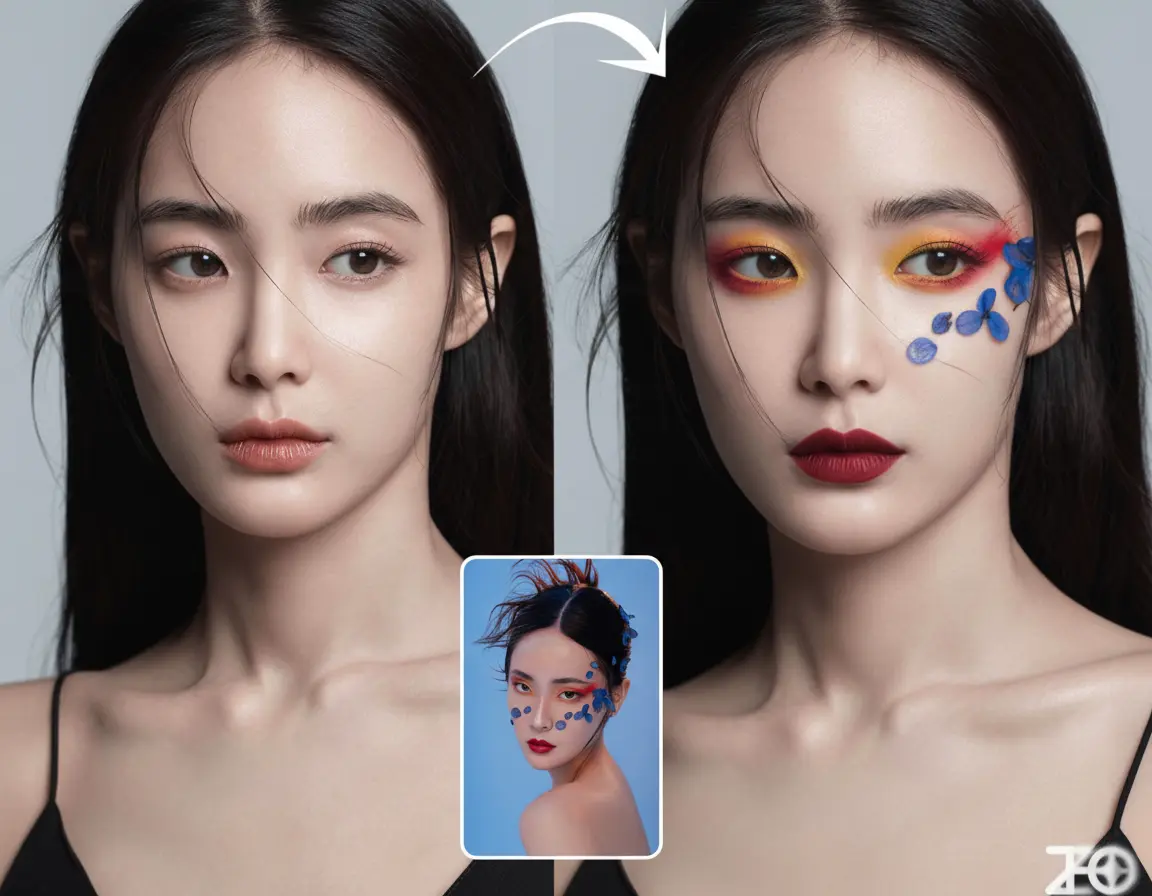
Woman with virtual makeup transformation showing before and after with different lipstick and eyeshadow

Virtual Makeup Try-On

Upload a portrait to the ChatGPT Image Generator and describe the look you want to try. Explore lipstick shades, eyeshadow, and makeup styles while keeping the original photo as a reference.

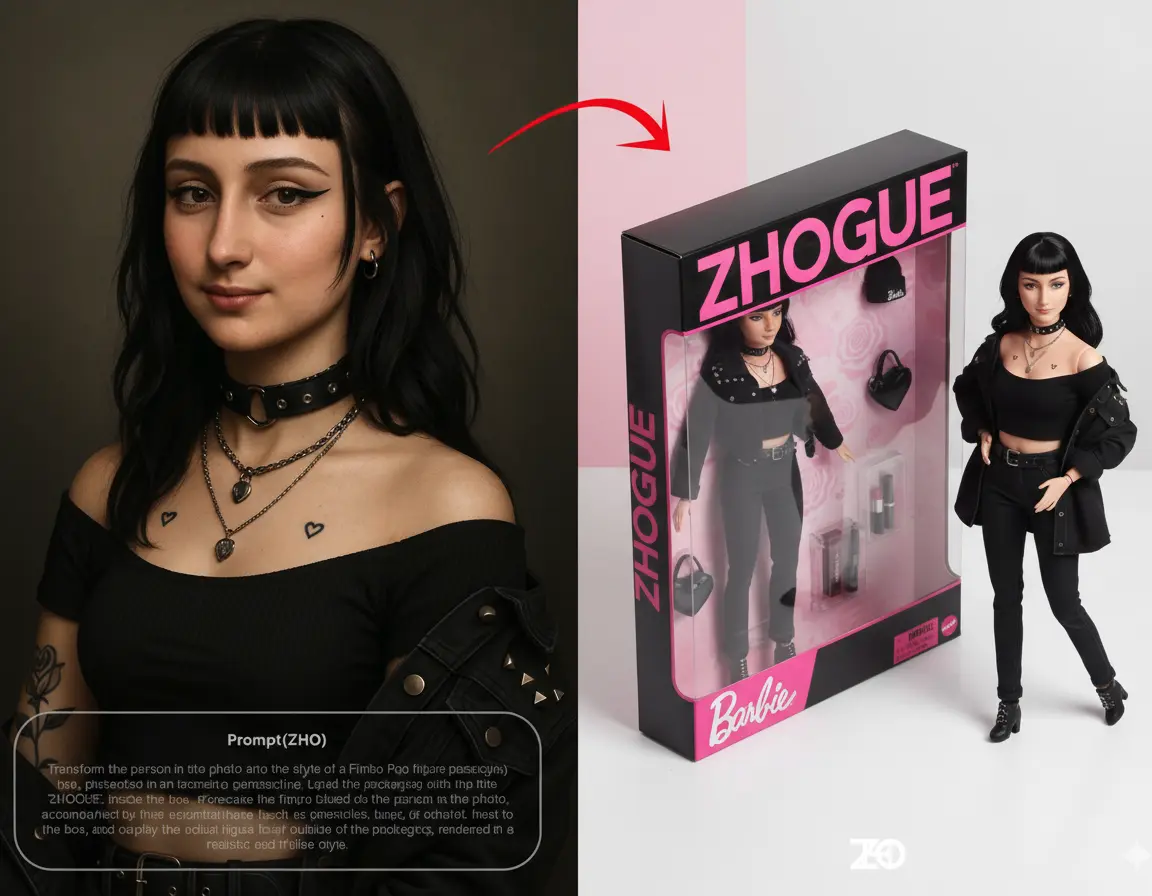
Real person photo transformed into anime-style doll illustration with preserved facial characteristics

Photo to Illustration

Turn a portrait into an anime or doll-style illustration with Nano Banana 2. Use your photo as a reference and describe the style and facial details you want to keep.

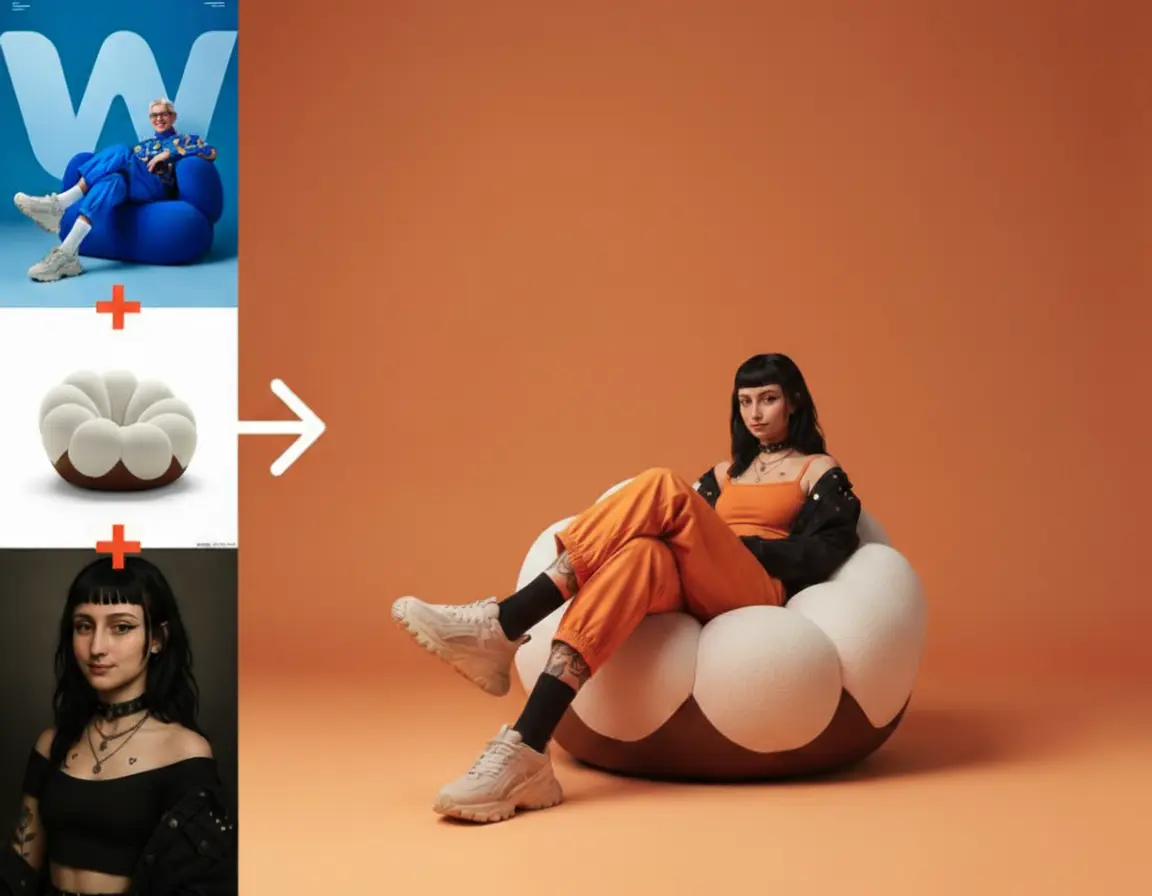
Complex scene with multiple elements seamlessly blended together showing realistic lighting and shadows

AI Image Composition

Combine multiple reference images into one scene with Nano Banana 2. Describe how the subjects should fit together, including their placement, lighting, and perspective.

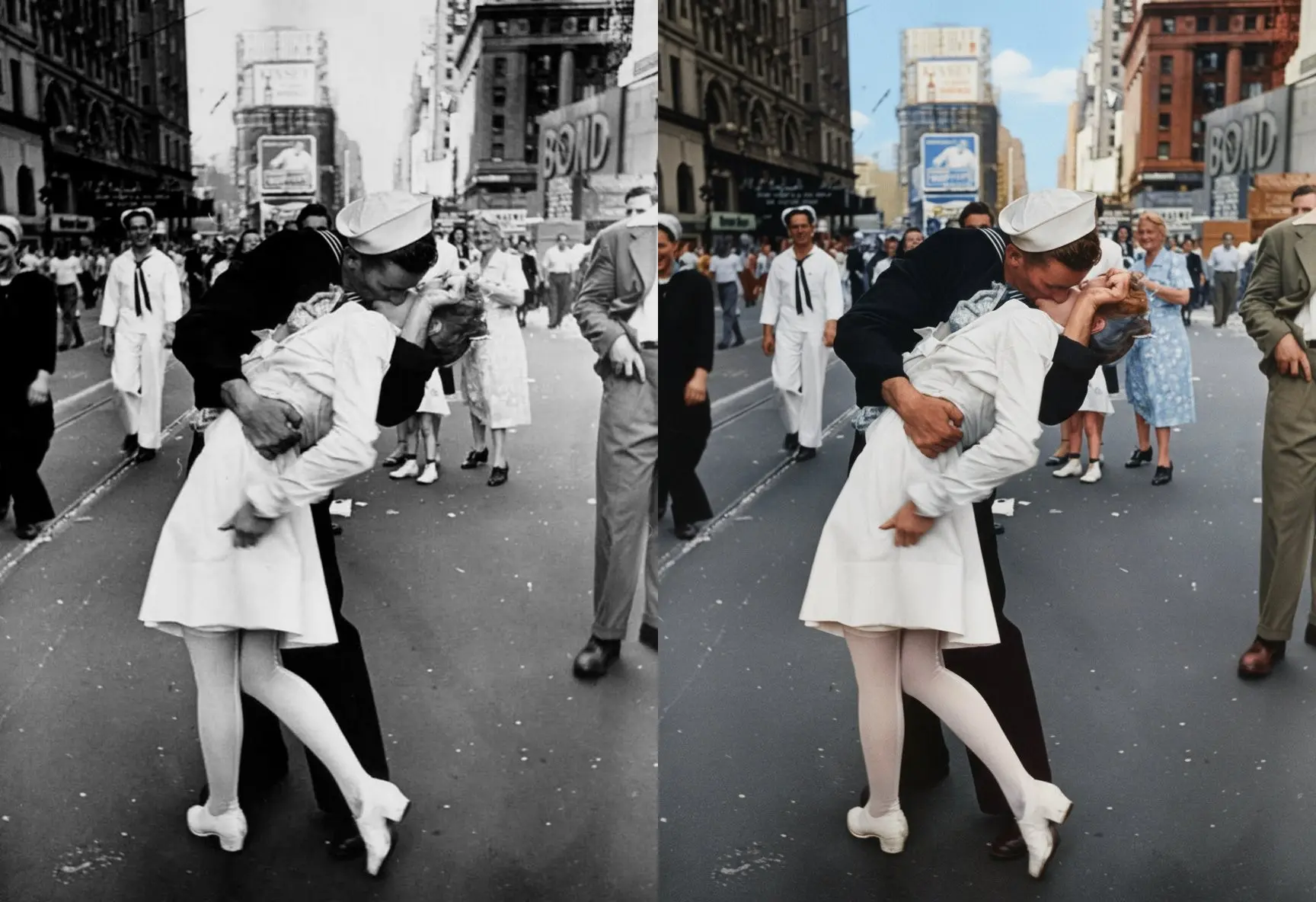
Vintage black and white photo restored to full color with damage repair and enhancement

Photo Restoration

Use the ChatGPT Image Generator to explore restoring faded colors and reducing visible scratches in an old photo. Keep the original as a reference, and compare faces and fine details. Refine your ChatGPT Image Generator prompt if important features change.

Made with Chatimages

Real GPT Image 2 Creations from the Community

Explore GPT Image 2 creations and model examples shared publicly by creators. View the original posts for context and attribution.

Core Features

Why Choose ChatImages?

The ChatGPT Image Generator brings GPT Image 2.5 and GPT Image 2 together for text, layouts, product visuals, and reference-based editing. ChatImages also offers Nano Banana Pro, Veo 3, and more.

Text & Handwriting in Images

Create posters, labels, and handwritten-style text with the ChatGPT Image Generator. Include the wording and style in your prompt, then review spelling and legibility before publishing.

Precision Instruction Following

Describe your subject, composition, and changes in natural language. With the ChatGPT Image Generator, combine instructions for outfits, backgrounds, and lighting, then refine the result through follow-up edits.

Real-World Visual Knowledge

Explore maps, educational diagrams, and product concepts with the ChatGPT Image Generator. Use prompts and reference images to guide recognizable details, and verify factual information before use.

Natural Colors & Palette Control

Specify neutral lighting, brand colors, or a custom palette in your ChatGPT Image Generator prompts. Use reference images to guide the look and review the result against your color requirements.

Nano Banana 2 Web Search

Enable Web Search with Nano Banana 2 to use information from Google Search during generation. Explore product and location references, and check any factual details in the output.

High-Density Layout Generation

Create maps, infographics, web UI mockups, and video-style frames with the ChatGPT Image Generator. Describe headings, sections, and their placement to explore layouts with both visual structure and style.

Marketing & E-Commerce Visuals

Develop product images, brand materials, and campaign visuals with the ChatGPT Image Generator. Use references to guide logos, colors, and product details, then review consistency before commercial use.

Typography & Multi-Image Fusion

Use Nano Banana 2 for infographics, brand materials, and lookbooks that combine text and visuals. Upload multiple reference images to guide one composition, then review the typography and details.

Multiple Models, One Platform

Choose GPT Image 2.5 or GPT Image 2 in the ChatGPT Image Generator, and explore Nano Banana Pro or Veo 3 for other creative tasks. Manage image and video work in one account, with credits based on the model and settings.

Testimonials

What Creators Are Saying About GPT Image 2

From marketing campaigns to photo restoration and UI design — hear how creators are using GPT Image 2 to transform their workflows every day.

Alex Chen

Alex Chen

Creative Director

GPT Image 2 on chatimages is a creative director's dream. We iterate on ad creatives in minutes and export in production-ready resolution. Campaign prep time? Cut in half.

Sarah Jenkins

Sarah Jenkins

Content Marketer

I've tried every AI image tool. GPT Image 2 is the only one that actually gets text right. Marketing posters, infographics, dense layouts — the results look professional straight out of the box.

David Ruiz

David Ruiz

UI/UX Designer

It feels like having a design assistant that never gets tired. I upload a rough sketch, describe what I want, and GPT Image 2 refines it until the layout is exactly what I envisioned.

Emily Park

Emily Park

Interior Designer

I redesigned an entire living room from one photo using GPT Image 2 on chatimages.net — wall colors, shelves, carpet — all in one prompt. What took hours in Photoshop now takes minutes.

Carlos Méndez

Carlos Méndez

Wedding Photographer

GPT Image 2 brought a 1945 wedding photo back to life. The couple's faces were so sharp, so consistent — my clients cried when they saw it. Nothing else comes close to GPT Image 2 for photo restoration.

Aisha Rahman

Aisha Rahman

E-commerce Seller

Three product shots merged into one lifestyle scene, with perfect shadows and lighting. Nano Banana 2 handles multi-reference fusion like nothing else — conversion rate jumped 18% overnight.

FAQ

Everything You Need to Know About ChatGPT Image Generator

Find answers about the ChatGPT Image Generator, GPT Image 2 and GPT Image 2.5, image editing, credits, and subscriptions on ChatImages.

What is chatimages.net?

ChatImages combines a ChatGPT Image Generator with additional image models and AI video tools in one workspace. Create from a text prompt or upload reference images, then choose settings for your task.

The ChatGPT Image Generator offers GPT Image 2 and GPT Image 2.5 Flare / Sunburst. Other options include Nano Banana 2, Nano Banana Pro, Seedance 2.5, and Veo 3. Generation uses credits; you can choose a subscription or a one-time credit package.

Why choose chatimages.net over other AI image platforms?

The ChatGPT Image Generator combines reference-image editing, annotation, prompt examples, and result controls in one workspace. Other image and video models are also available, so you can choose the model that fits your task.

For ChatGPT Image Generator usage, subscriptions and one-time credit packages are available. Newly purchased one-time package credits are valid for 10 years (3650 days); subscription credit grants are valid for 30 days, and registration gift credits for 1 day. This does not change the expiry already recorded for historical credits.

How do I edit images with the ChatGPT Image Generator?

  1. Open the ChatGPT Image Generator, choose an image model and enter a prompt or upload reference images.
  2. Describe your changes, such as replacing a background or adding studio lighting.
  3. Select the available quality and resolution settings, check the credit quote, and generate.
  4. Use the result as a reference for another edit or revise the prompt and generate a variation.
  5. Review the result and download it using the available result controls.

ChatGPT Image Generator processing time, output options, and credit cost depend on the selected model and settings.

What are GPT Image 2 and GPT Image 2.5?

GPT Image 2 and GPT Image 2.5 are model options in the ChatGPT Image Generator. Flare and Sunburst appear as separate selections. Use text prompts and reference images to explore posters, product visuals, illustrations, and interface mockups.

Check the ChatGPT Image Generator toolbar after choosing a model: resolution, quality settings, reference limits, and credit costs vary by selection.

What makes GPT Image 2 stand out from other AI image models?

With GPT Image 2 selected, the ChatGPT Image Generator supports text-to-image generation and reference-image editing for tasks such as:

  • Text and handwriting — explore lettering, labels, signs, and poster typography
  • Detailed instructions — describe subjects, layout, lighting, and the changes you want
  • Structured visuals — create concepts for maps, infographics, product images, and interfaces
  • Color and style — specify a palette and refine the result with reference images

Review ChatGPT Image Generator results for text, factual details, and visual consistency before using them.

How do I add handwriting and text with the ChatGPT Image Generator?

Include the exact words, handwriting style, placement, and layout in your ChatGPT Image Generator prompt. Explore handwritten notes, posters, labels, and text-rich images; reference images can help explain the intended style.

Check spelling, punctuation, character shapes, and line breaks. If needed, return to the ChatGPT Image Generator with a more specific prompt or a reference image for another edit.

Can I create maps and diagrams with the ChatGPT Image Generator?

You can prompt the ChatGPT Image Generator for familiar objects, places, game-inspired scenes, diagrams, maps, and interface concepts. Reference images help communicate appearance and composition.

ChatGPT Image Generator outputs may contain errors in labels, scientific details, geography, logos, or spatial relationships. Review them against reliable sources before using them as factual material.

What types of images can the ChatGPT Image Generator create?

Use the ChatGPT Image Generator to explore a range of image tasks:

  • Marketing posters, banners, and social media visuals
  • Product photography concepts and catalog imagery
  • Handwritten notes, labels, and document-style images
  • Game-inspired visuals and interface mockups
  • Maps, infographics, packaging, and brand concepts
  • Photo restoration and image editing

Treat ChatGPT Image Generator results as creative drafts. Review generated text, facts, and brand details before publishing.

What is Nano Banana Pro?

Nano Banana Pro is an image generation and editing model on ChatImages. Its current options include:

  • 2K and 4K output
  • Up to 10 reference images
  • Text prompts and image-guided edits
  • Reference-image annotation to explain the area you want to change

Web Search is currently offered with Nano Banana 2, not Nano Banana Pro in this workspace. Check the selected model toolbar for available controls.

GPT Image 2 vs Nano Banana Pro — which should I use?

Choose the ChatGPT Image Generator or Nano Banana Pro according to your task:

  • GPT Image 2 / GPT Image 2.5: Explore text-led layouts, product visuals, and edits guided by written instructions and reference images. Flare and Sunburst are separate selections in the model menu.
  • Nano Banana Pro: Explore detailed compositions, 2K or 4K output, and image editing with up to 10 reference images.

Compare ChatGPT Image Generator results with Nano Banana Pro using the same creative brief. Available settings and credit costs vary by model; a higher resolution may use more credits.

Can I use the ChatGPT Image Generator for professional work?

The ChatGPT Image Generator supports workflows such as product visuals, advertising concepts, photo restoration, and design mockups. Use reference images, select output settings, and review variations before downloading.

Commercial use of ChatGPT Image Generator outputs depends on the applicable platform and model terms and the rights to your inputs. A generated result is not a guarantee of factual accuracy, brand fidelity, or legal compliance.

What content rules apply to the ChatGPT Image Generator?

ChatGPT Image Generator requests are subject to the selected model and the platform’s applicable content rules. Requests may be rejected or fail when they do not meet those requirements. Review outputs before sharing them, and use reference materials you are entitled to use. Available plans and support options are shown on the pricing page.

How do I cancel my ChatImages subscription?

Sign in to your ChatImages account, open the Billing page, and click Manage Billing. You will be redirected to the payment management page, where you can manage your automatic payments and cancel your subscription. Follow the instructions there to complete the cancellation.

Start Creating

Start Creating with ChatGPT Image Generator Today

Bring your ideas to life with the ChatGPT Image Generator. Create with GPT Image 2.5 or GPT Image 2, and explore Nano Banana and AI video tools on ChatImages.

Disclaimer

ChatImages is an independent creative platform. ChatImages is not affiliated with, endorsed by, or sponsored by OpenAI, Google, ByteDance, or any other AI model provider. Model names and trademarks belong to their respective owners.